
Create & share packs
Choose a supported plugin, add a name, description, genres and purpose, then submit your collection for moderation.
The AliasingLabs ecosystem
Windows x64 / 1.6.34
One connected workspace
A single place for the practical side of your AliasingLabs collection.
Your collection
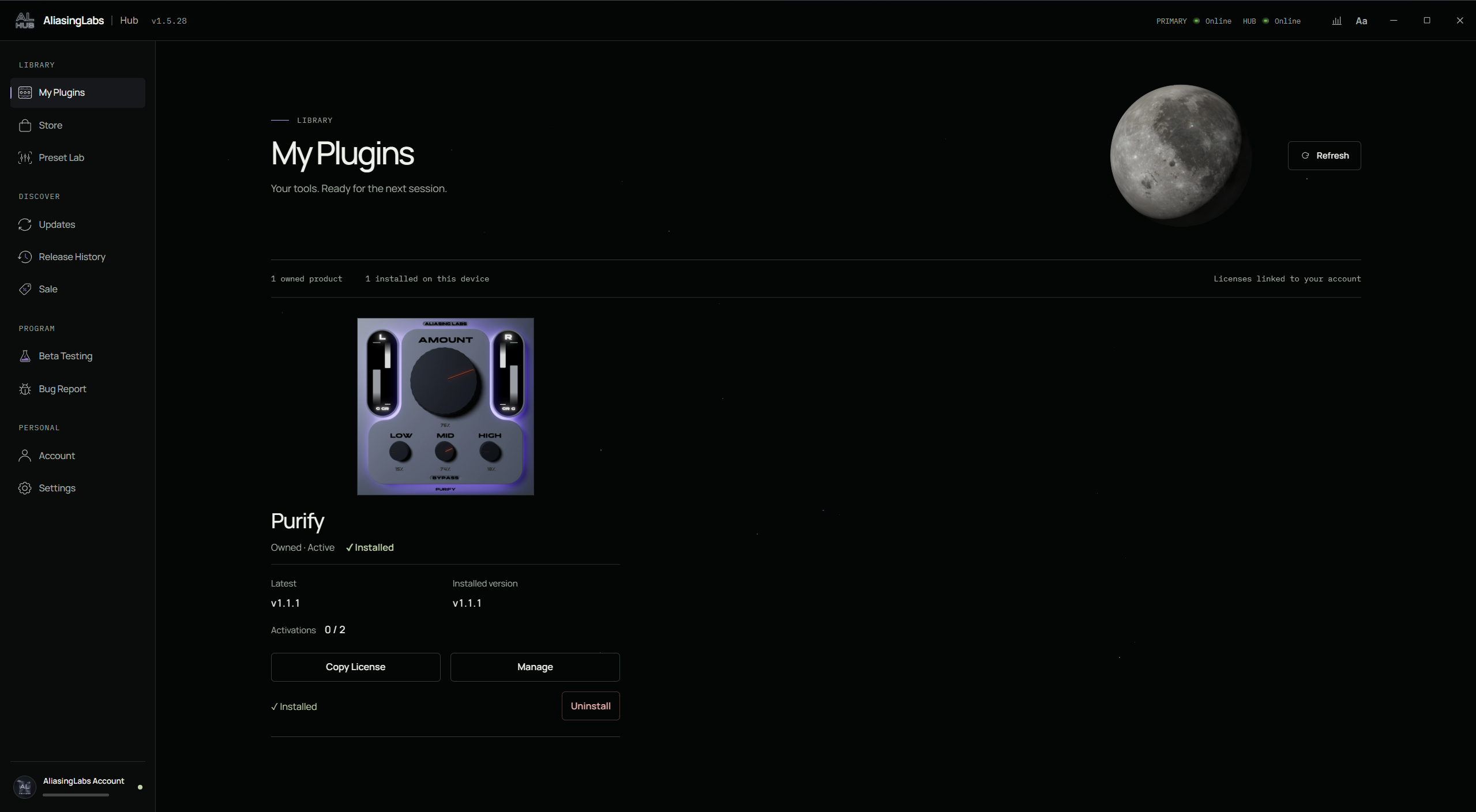
See your purchased products, check installed and available versions, and manage supported installations. Licenses, activation information and product actions stay with the tools they belong to.
The integrated store
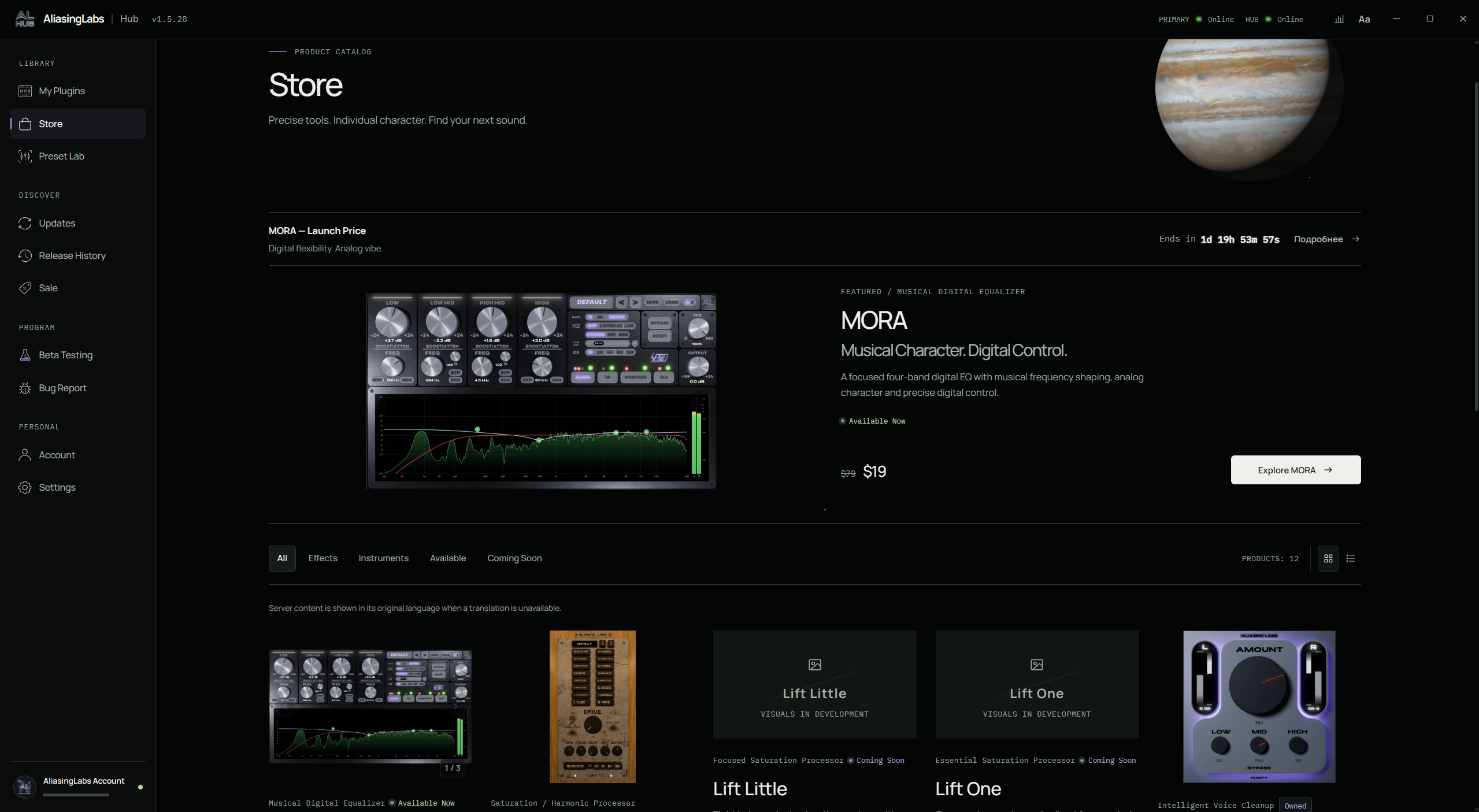
Explore the AliasingLabs catalog, examine plugin interfaces and read product details. Check live prices and available offers, then continue to the existing checkout when you are ready to buy.
Preset Lab
Publish your own preset packs and discover collections for supported AliasingLabs plugins. Hub connects browsing, moderation, installation and your published work in one library.
Explore Preset Lab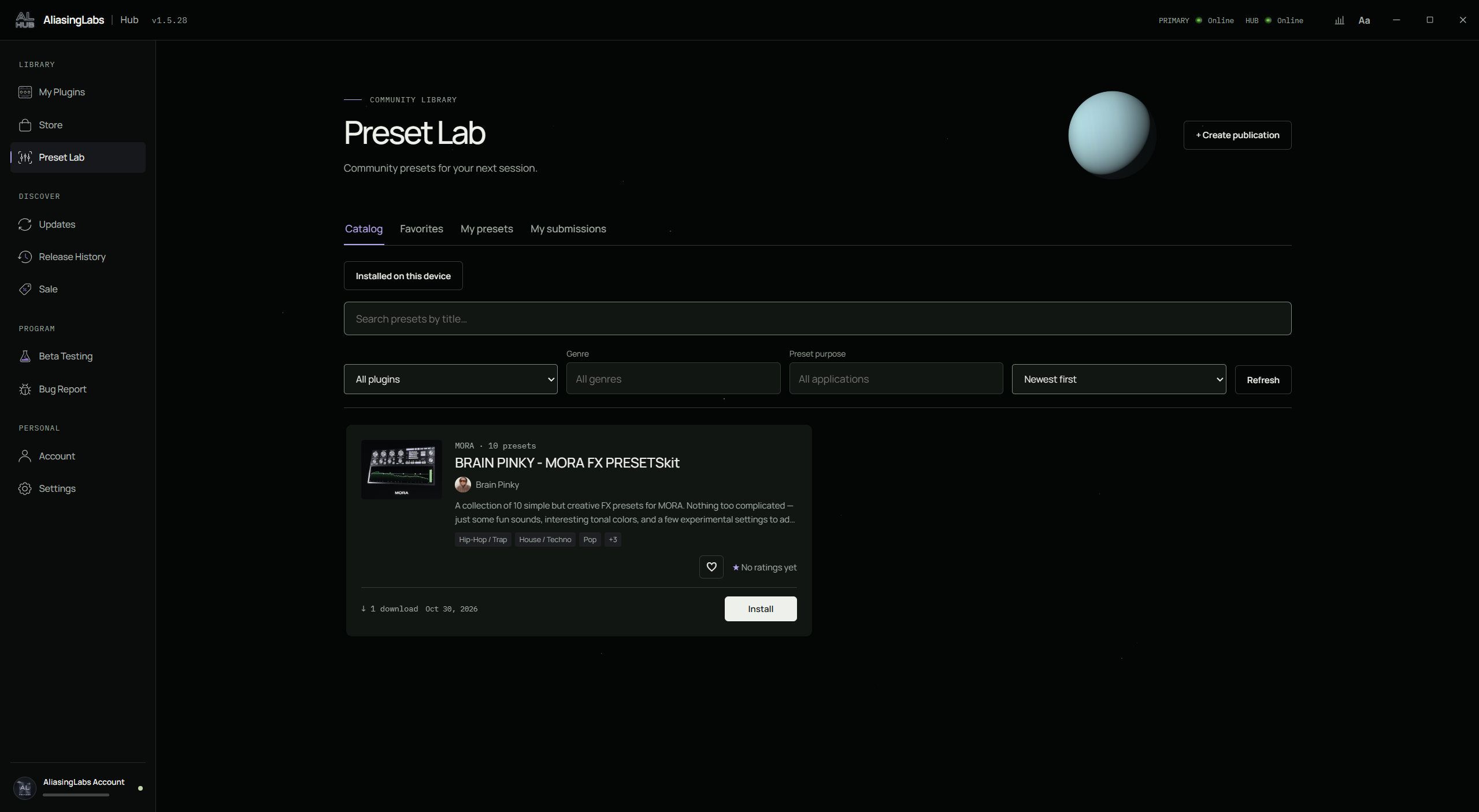
Choose a supported plugin, add a name, description, genres and purpose, then submit your collection for moderation.
Search titles, filter and sort, explore authors, save favorites and give one to five stars. Download counts help you explore the library.
Compatible MORA packs go straight into your user preset library. No manual unpacking or searching for folders. Reopen the plugin editor to refresh its list.
Edit or delete your own publications and view private download and rating statistics. My Submissions keeps moderation status separate from published packs.
More of your ecosystem
Updates, offers, account services and additional tools, without leaving your workspace.
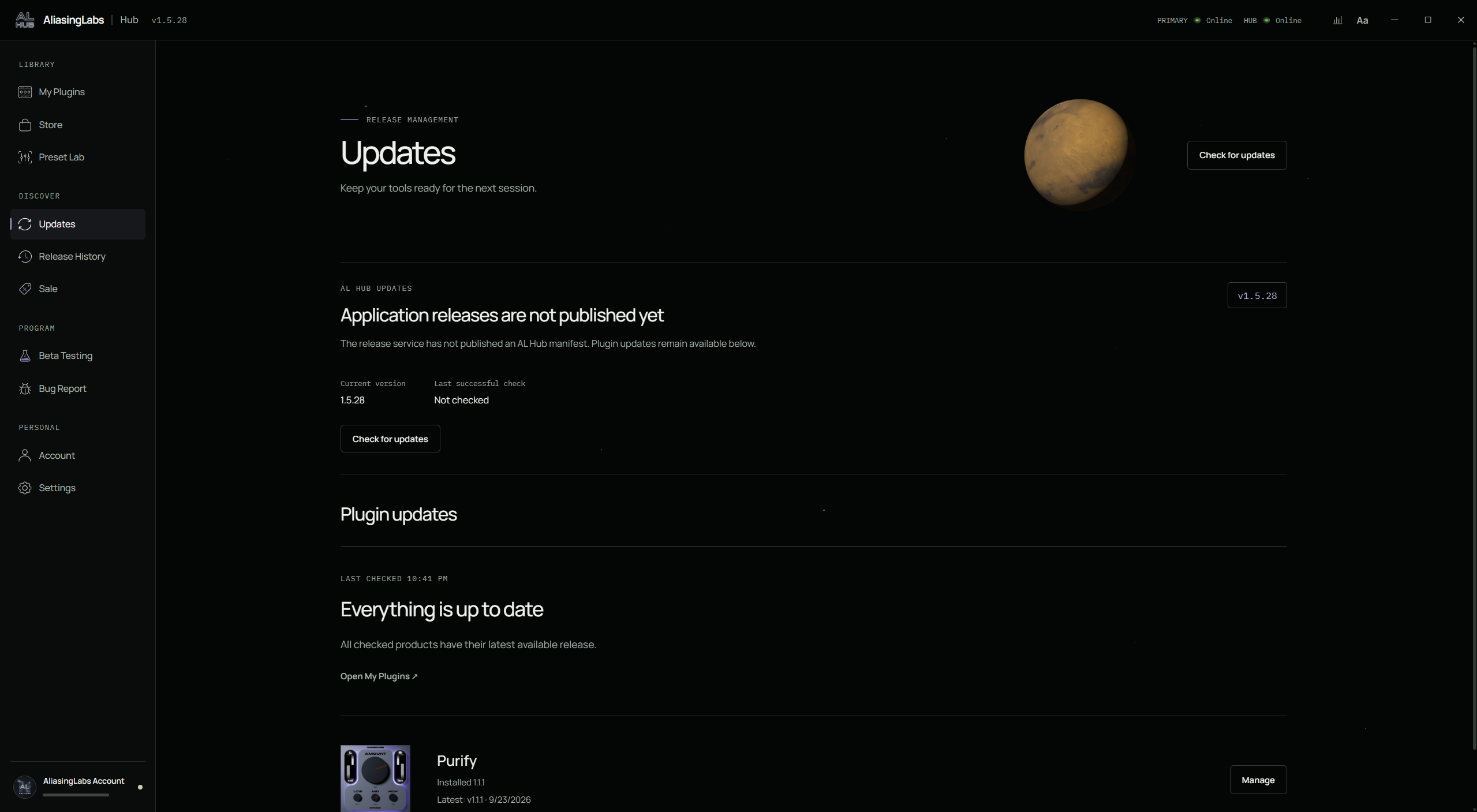
Keep track of what is installed and what is available. Check plugin versions and open product management when an update is ready. Hub updates have a separate status, so you can distinguish application releases from plugin updates. If no application release manifest is published, Hub says so explicitly.
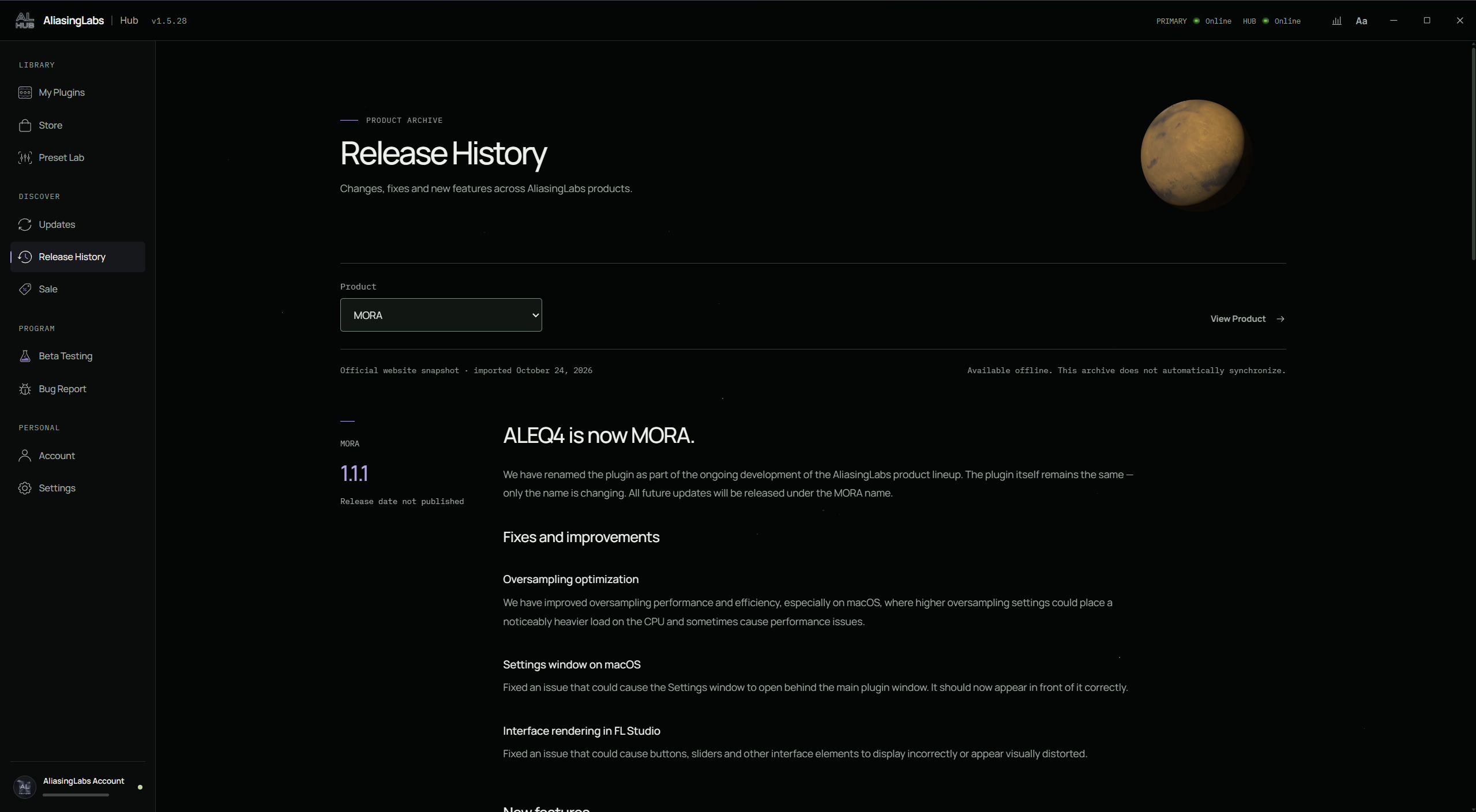
Know what changed before updating. Select a product to read its fixes, refinements and new features in one place. The release archive also identifies imported website snapshots and their offline availability, making the source and freshness of those notes clear.
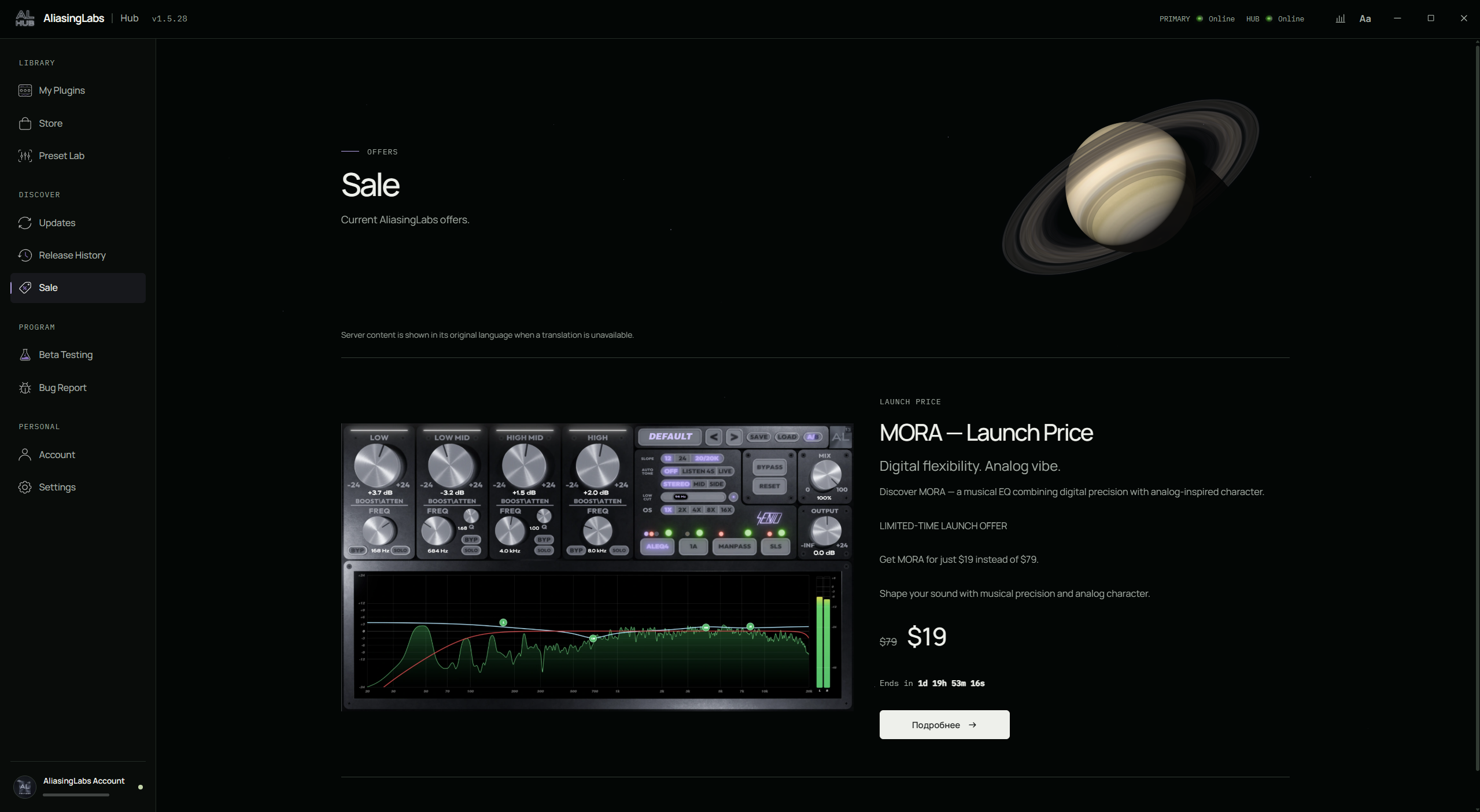
See current AliasingLabs offers with the relevant product, regular and promotional prices, offer details and an end time when provided. Open the product to explore the offer. This screenshot captures a particular promotion; current terms and availability come from the live catalog.
A dedicated space for your testing background, audio role, equipment and products of interest. The current Hub form is a preview: it does not submit an application or grant beta access. Use the website’s Beta Testing page for the available application process; participation is reviewed individually.
Visit Beta Testing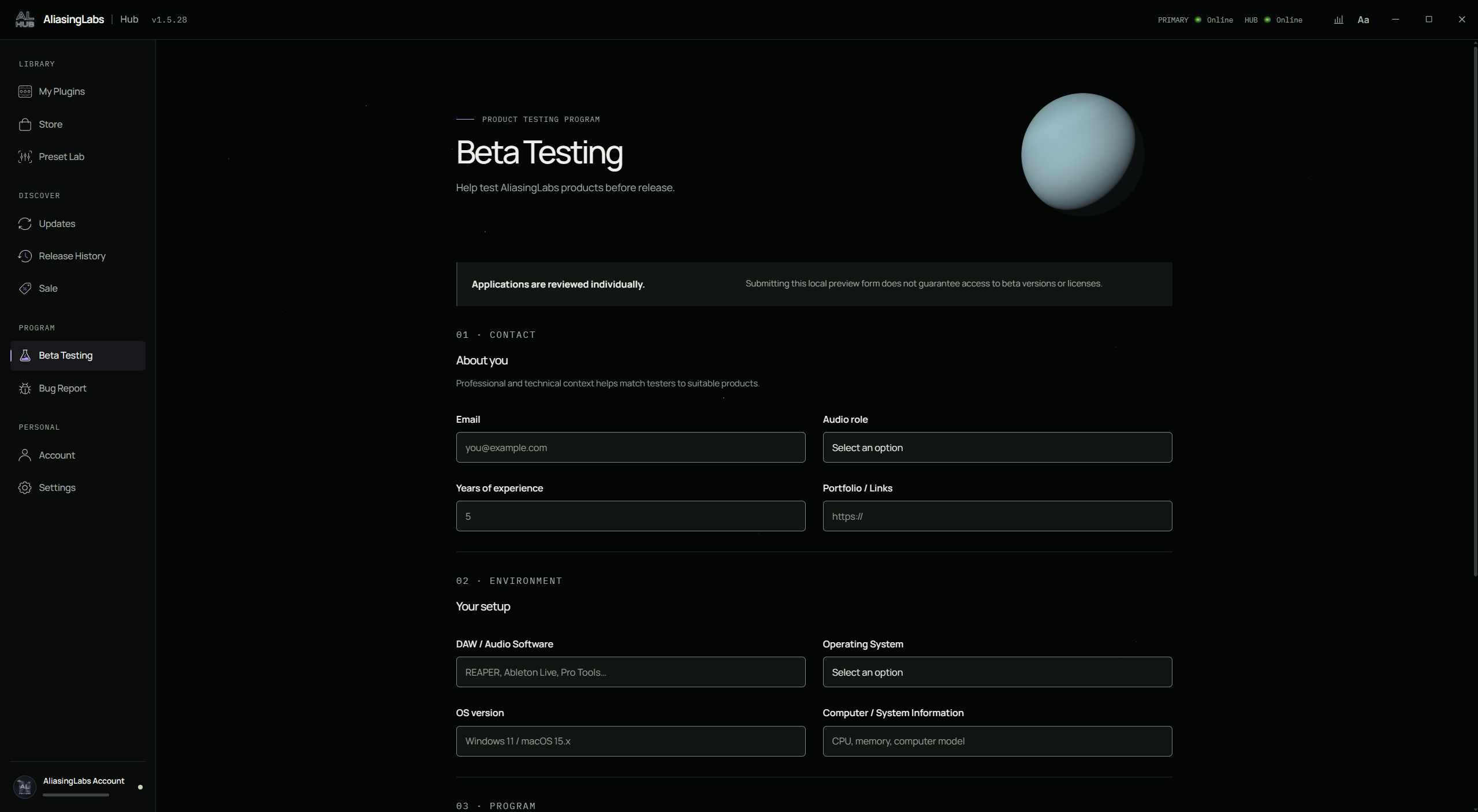
Organize an issue around the product, plugin version, DAW, operating system and steps to reproduce it. The current Hub screen previews this structured workflow; submission, attachments and future automatic detection are not active. For help now, use the website’s support form.
Open Support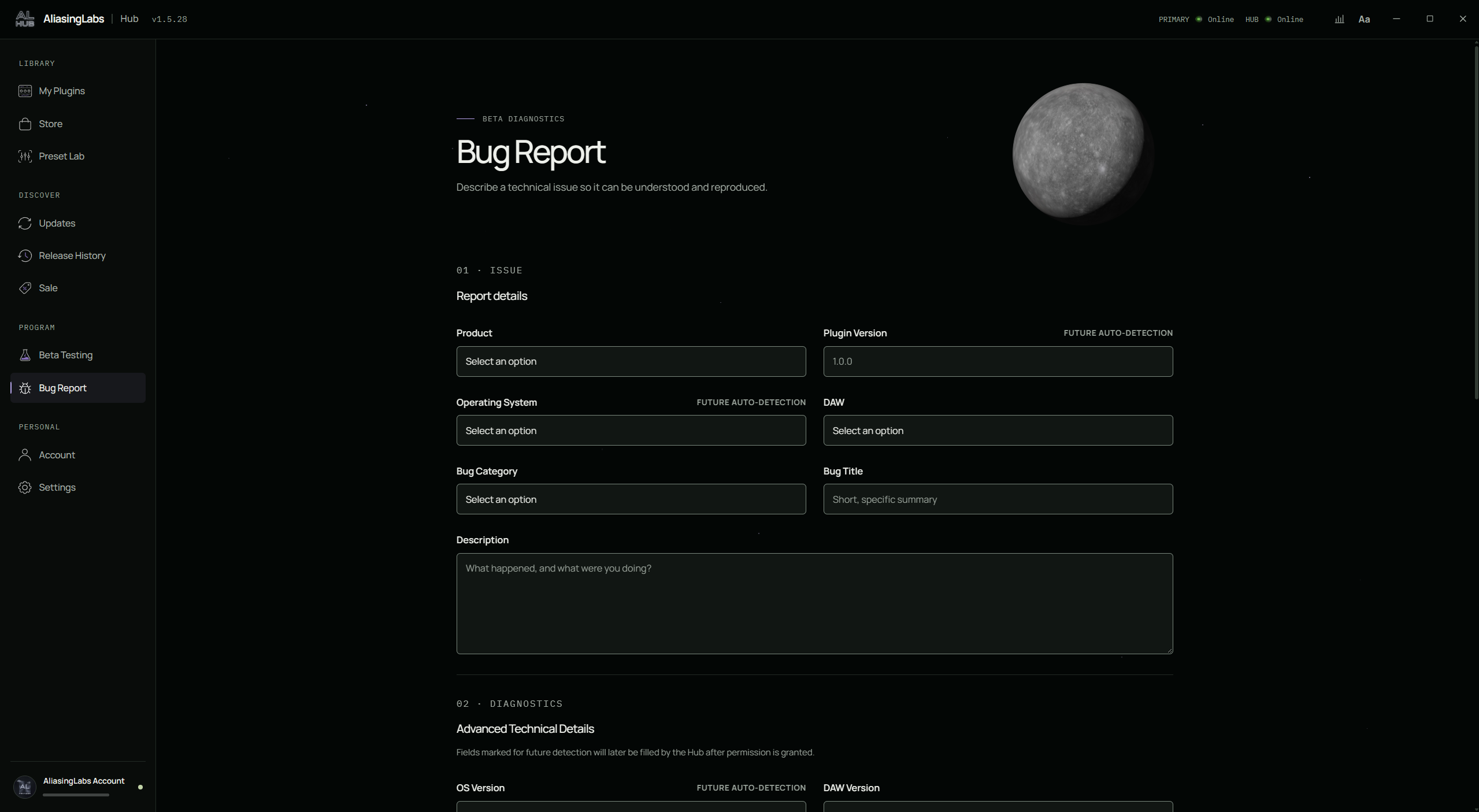
One AliasingLabs account connects your workspace. View your sign-in status and account details, return to My Plugins and reach application settings. Preset Lab uses the same account for personal favorites, ratings and your own publications, without a separate community login.
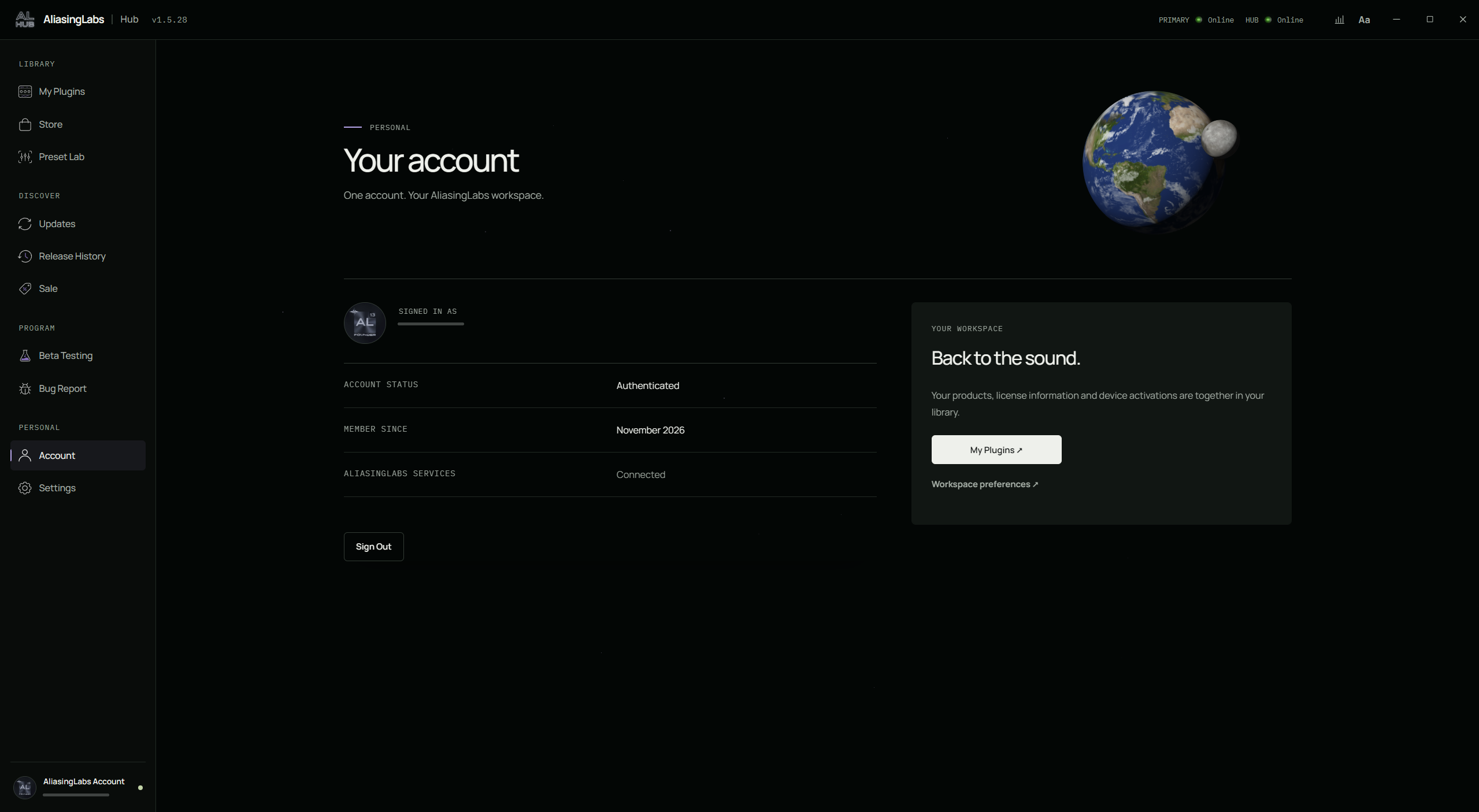
Choose the theme, language, interface and text size. Control decorative motion and Windows startup behavior, and review Hub update settings.
See what your audio is doing. Hub analyzes the shared Windows audio output with a spectrum analyzer, stereo VU meters, phase visualization and sample-peak meters. Check stereo correlation and balance, choose a display mode, hold peaks or open the meters in a separate window while you work.
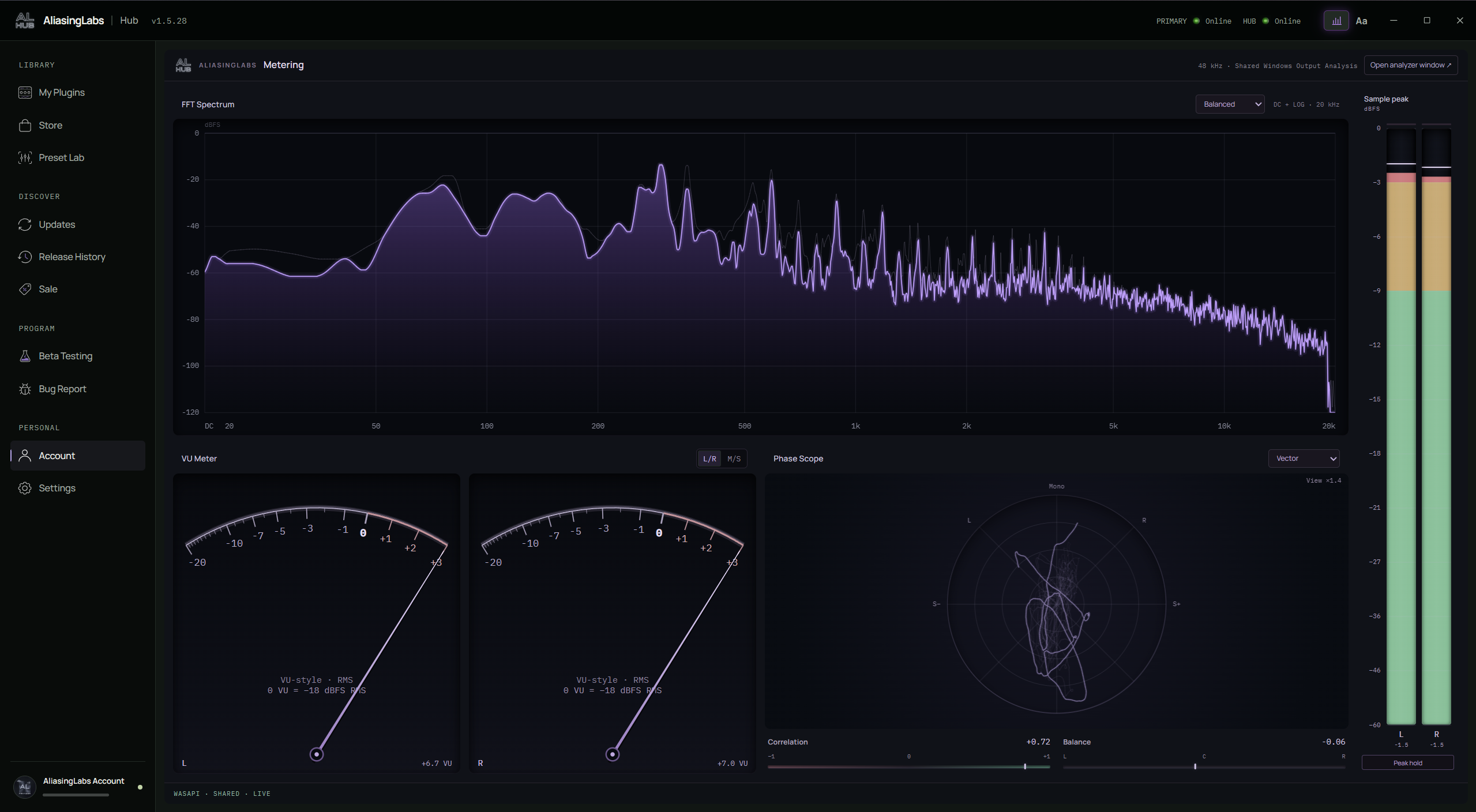
Actual Hub 1.5.28 interface. Catalog content, prices and offers may change.
Screenshots use the selected language where available; other site languages use English.
Your plugin library, store, licenses, updates and Preset Lab, together in AL Hub. Official download links appear here when published.
Explore pluginsmacOS ARM64 / 1.1.1
Apple Silicon (M1 or later) · macOS 14.2+
Ad-hoc signed; not notarized by Apple. macOS may show a security warning.